Compatible with Chrome and Edge
Instruction Guide
We have a simple tutorial guide which explains the features of the software extension and what each button inside the extension does. Read our tutorial and welcome guide on how to use the extension to the fullest. Use all the features of this browser software.
If you are interested in other web extensions to install, you might wish to check out the Microsoft Bing Search with Rewards extension.
Microsoft Bing Search with Rewards Extension
It allows you to complete daily offers to get points.
Track the number of points you have currently and the rewards you can redeem with these points.
The ways to get points & get rewarded is search with Bing, browse with Microsoft Edge and shop at the Microsoft and Windows stores to earn rewards.
Sponsored Link:
Other useful extensions
Another extension which would be useful to install is the iCloud bookmarks extension.
It allows to keep your Chrome bookmarks on Windows synced up with the Safari bookmarks on your iPhone, iPad, and Mac.
iCloud will store your website bookmarks so it is accessible even on your iPhone and Mac.
Try these other two extensions and see if it will boost your daily productivity.
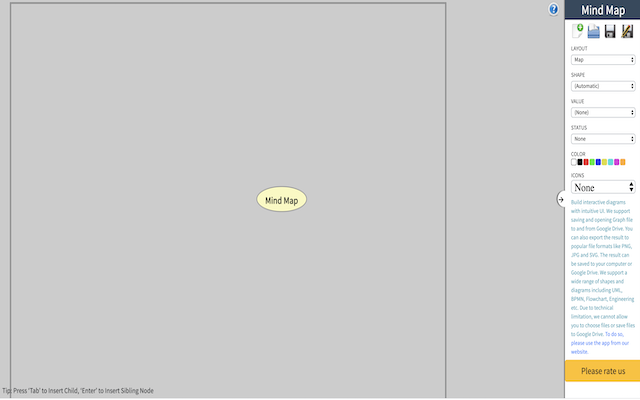
Create your own mind map now using this free online mind map creator software. Our software allows you to organize your project/brainstorm for ideas and much more when you use a mindmap to clarify and write out your points. You can also save your mind map into Google Drive. - Create Mind maps for free - Save your mindmap into Google Drive
Features:
Click on the extension icon to begin creating your own mind map.
A mindmap is a diagram used to visually organize information. It is generally used to represent words, concepts and ideas.
The mind map was developed by Tony Buzan in the 1960s as a way to help students organize their thoughts.
It uses colors, images and symbols to represent words and ideas. The mindmap is like an outline that can be expanded or contracted depending on the amount of information being presented.
Mindmaps are simple enough that they can be created by hand with pen and paper. However, if you want to make mindmaps electronically, you need some type of mindmapping software. There are many different types of software available today — including desktop applications and web-based tools — but here are some popular ones:
FreeMind is an open source mindmap application that runs on Windows, Mac OS X and Linux operating systems (the latter two using Mono). FreeMind supports multiple languages including English, French and Spanish
XMind is another open source mindmapping tool that works on Windows, Mac OS X and Linux operating systems
MindMeister is a free online mind-mapping tool that allows you to create public or private maps and share them with others. Once you've created your map, you can share it with other users and invite them to collaborate on the project. You can upload files from your computer or attach files from Google Drive and Dropbox. MindMeister also offers mobile apps for iOS and Android devices so you can use your mind maps on the go.
Tutorial:
- Install the Extension
- After installing the extension, click on the icon on the toolbar.
Sponsored Link: